How this wait time display works
Two devices. A tablet, or any spare screen with a browser, faces the line and is the display. Your phone stays in your pocket and is the remote. Each one opens this page and picks its job. It’s for anywhere people line up for something made to order: food trucks and trailers, coffee carts, market stands, festival vendors, food-hall stalls and counter windows. A digital wait time sign on a tablet instead of a chalkboard, with no wait time app to install.
One code pairs them. Type the same code on both devices: letters, numbers and hyphens, up to 24 characters. Everything the phone sets, the tablet shows within about a second. Cellular on the phone and wifi or a hotspot on the tablet is fine; they don’t need to be on the same network.
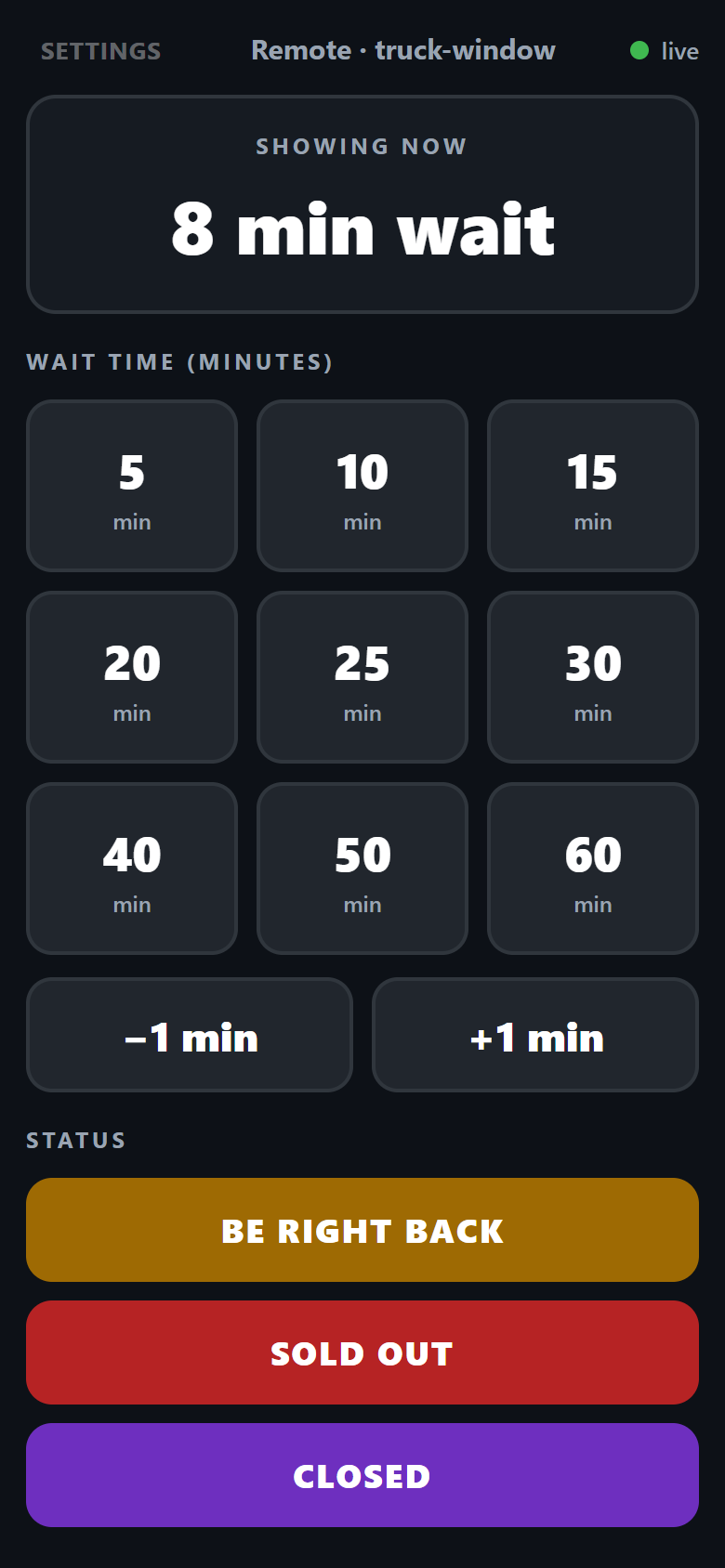
The remote is a grid of presets from 5 to 60 minutes, one tap each, with plus and minus buttons for anything in between, from 0 up to 180. The number doesn’t count down. It isn’t a countdown or a service timer; it stays where you set it until a remote changes it, so the phone belongs with whoever knows the real wait. More than one phone can hold the remote, and the most recent tap wins.
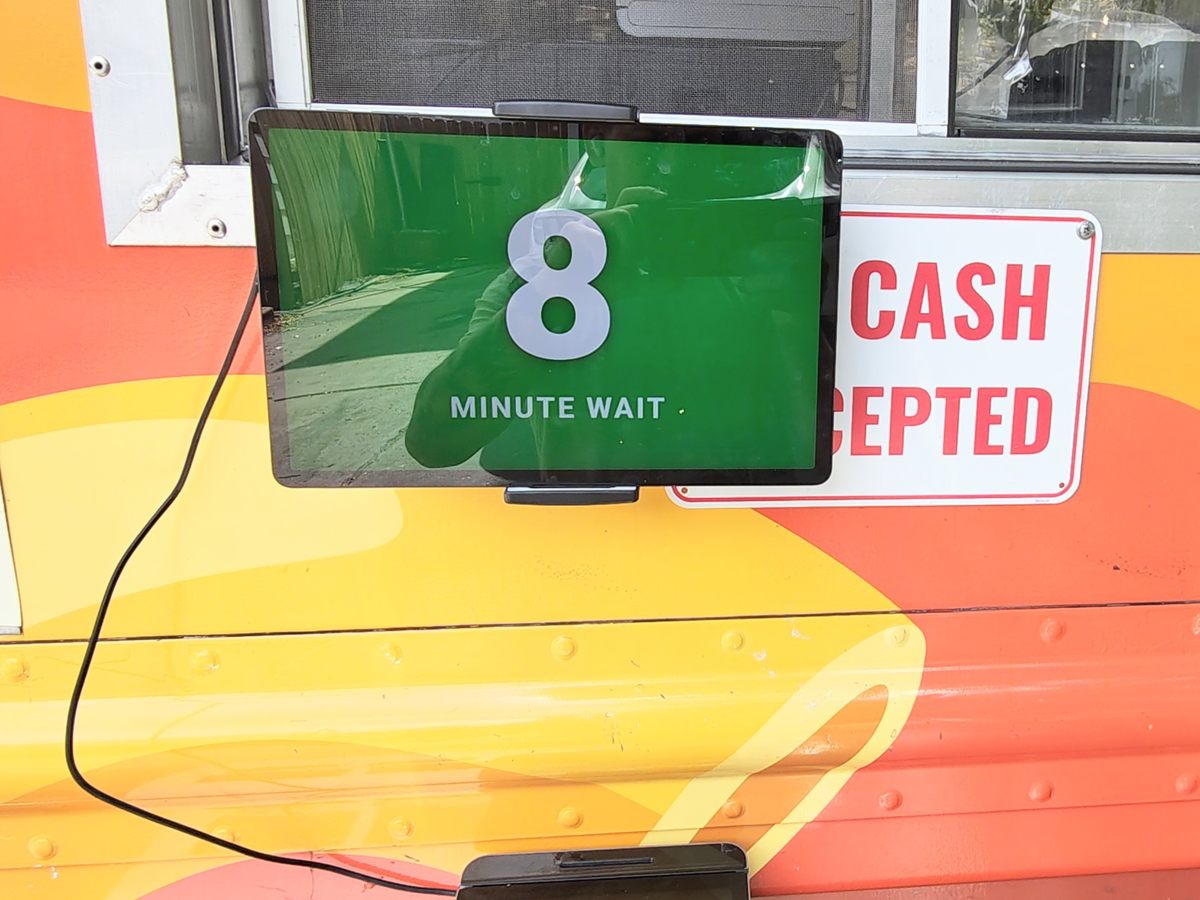
The display shows the number at the height of the screen with MINUTE WAIT under it. Tap the screen once for fullscreen. Bookmark the page or add it to the home screen and each device remembers its code and job, so the tablet comes back up as the display and the phone as the remote. Brightness up and auto-lock off in the tablet’s settings before service.
What the colors mean
The display’s background is the message. Green for 10 minutes or less, yellow from 11 to 20, red from 21 up. Customers read the color before they read the number, so from across a lot they know whether to join the line before they can make out the digits.
Status screens use the same colors. BE RIGHT BACK is yellow. SOLD OUT and CLOSED are red, so a customer who only sees the color still gets the right answer. Raise the number early when you’re behind; a line told 25 minutes at 25 minutes is calm.
What this page stores and sends
On each device it saves the code, the role and the last wait time or status in the browser’s local storage. That’s how the tablet comes back as the display after a reboot and shows the last number before it’s reconnected.
Changes go through a public message relay, ntfy.sh, on a channel named after your code. Each message is the wait time or status and a timestamp. The relay keeps recent messages for around 12 hours, which is how a tablet that lost power catches up when it reconnects. Because the channel is named after the code, the code is the only thing that keeps strangers off your board. A code you’d give a coworker is enough. A code like “taco” is not.
Once a day, each device sends a short usage ping to our server: a hashed version of the code and whether it’s a display or a remote. It’s how we count how many boards are in use. It doesn’t include the wait time, the code itself, a location or anything about the device. Beyond that, one anonymous page view is counted when the page loads. The page sets no cookies and loads no trackers.